Adding an email editor to your product is exciting. It's a tangible feature Sales teams love to demo, your users see it immediately, and it tends to be the first thing people explore when getting started with a product. But the gap between "we shipped an email editor" and "we maintain a production-grade email editor that reliably creates great output" is where the real engineering work lives, and most teams don't see it coming until they're already in it.
Welcome to the chaotic world of email rendering
On the surface, an email is just HTML and CSS, so it's reasonable to assume it works like web development.
It doesn't.
Unlike the relatively unified web browser ecosystem, email clients interpret HTML through wildly different rendering engines with inconsistent and often undocumented behavior. According to Oracle, there are thousands (yes, we said thousands) of different rendering options for every single email sent.
Here are just a few of the tricky rendering obscurities you have to deal with when you want your email to look great in different email clients:
Outlook (every email developer’s nightmare)
With over 430 million Outlook users worldwide and 90% of the Fortune 500 using Microsoft 365, you're designing for a substantial chunk of real inboxes, and Outlook's rendering behavior is its own discipline.
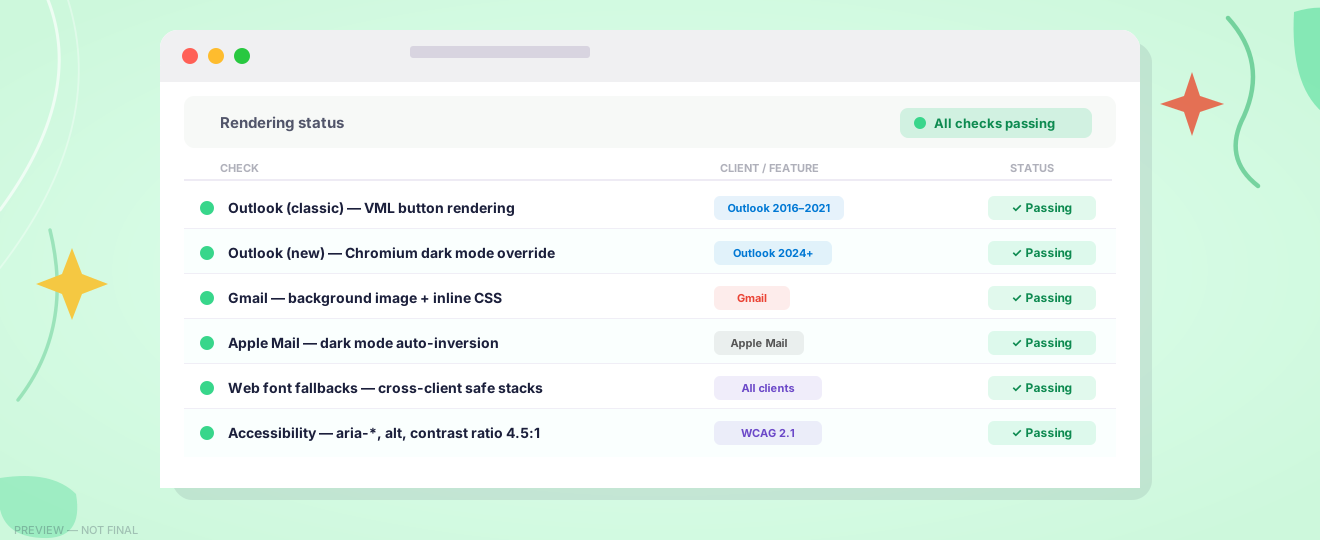
Coding emails for Outlook is notoriously painful, largely because Outlook's older Windows desktop versions render HTML using Microsoft Word's rendering engine rather than a modern browser engine. This means developers must fall back on table-based layouts that the rest of the web abandoned decades ago.
Mo’ platforms, mo’ problems
Outlook isn’t the only troublemaker for email rendering, though. In fact, many design elements you’d consider “standard” see inconsistent support across different email clients, requiring a whole library of hacks and workarounds to make them work across different environments. There are entire websites dedicated to helping you understand what elements are (and are not) supported in email design.
Planning to use media queries to optimize your design for different devices? Only 40% of email clients support those. Background images? They’ll render beautifully in Apple Mail but require a VML workaround to work in older Outlook versions. The German inbox provider T-Online doesn’t support background images at all. Web fonts work in Apple Mail but not in most other email clients.
That pattern repeats across virtually every design feature your users want. GIFs render with a play icon overlay in certain Outlook versions. Gmail clipping truncates email HTML above a certain file size threshold, cutting off your email.
You probably get the gist: The more complex the design, the more edge cases emerge, and the more your rendering layer has to work to ensure the design still looks great, no matter where recipients open an email.
And because email clients are always evolving, your rendering layer must, too.
Is your head spinning already? Well, there’s more…
Inconsistent support for Dark Mode adds complexity
Dark mode support in email rendering is another layer that’s become increasingly important. Email clients handle dark mode in wildly inconsistent ways. Some, like Apple Mail and iOS Mail, perform a fairly intelligent "auto-inversion" of light backgrounds and dark text, which can look decent but may clash with branded colors or images. Others, like Outlook and Gmail on Android, apply their own (sometimes creative) color transformations.
There’s the @media (prefers-color-scheme: dark) query that lets you explicitly define dark mode styles rather than leaving it up to the client. But—you might have guessed it—that media query is only supported by some email clients.
Following accessibility best practices in email is a tightrope walk
And it’s not just about how pretty the email looks, but how well the content works with assistive technologies to make it accessible to all.
Solid email accessibility means including alt attributes on images, a lang attribute on the body tag, using role="presentation" on non-content tables, semantic markup (<p>, <h1>–<h3>, <ul>, <li>), and aria attributes to give screen readers the additional context they need.
Accessibility standards are always evolving, and with more and more countries introducing new laws to raise the standards for web content, your HTML needs to evolve as well.
Staying on top of all of this, and doing it well, is a huge investment of time and resources that teams underestimate in both their original project scope and ongoing maintenance needs.
A team dedicated to fixing email rendering so you don’t have to
At Beefree SDK, we have a team that's genuinely (and almost embarrassingly) passionate about email rendering — not as a side responsibility, but as a core function. Think less "assigned task" and more Scooby-Doo gang: when a client updates quietly and something shifts, they're already pulling the clues together, tracing the change back to its source, and unmasking a fix before your users ever file a bug report.
That team tracks rendering changes across clients, runs continuous cross-client testing, and keeps our HTML output current with how real inboxes actually behave and change.
When you embed Beefree SDK, you're not just getting an editor component. You're also getting a partner who has already seen the rendering edge case before it becomes your problem.
The build vs. buy reality
For most product teams, the honest calculation looks like this: a production-grade email editor with reliable cross-client rendering requires real upfront investment to build, plus ongoing investment to maintain as clients evolve. That cost compounds over time and eats directly into your roadmap: If your engineers are spending time becoming email rendering experts (and Outlook rendering wranglers), they can’t spend that time building new features that can move your business forward.
Embedding an SDK hands that maintenance off to a team whose entire focus is the rendering layer, not a team splitting attention across a broader product.
Email will probably always be a little chaotic. Maintaining your email editor doesn't have to be.

.png)

.png)

.png)