
Salesforce is incredibly powerful, but if you’ve been using it to design campaigns, you’ll know: Salesforce’s native WYSIWYG email and content editors can feel frustratingly limited (and they’re not exactly a joy to use).
We often chat with builders who create custom apps for Sales Cloud or Service Cloud specifically to give users a better content creation experience. Whether it’s a richer email composer for sales reps or a more flexible campaign tool, there’s real value in upgrading the editing experience inside Salesforce, and Beefree’s intuitive drag-and-drop editor can really help you on that mission.
The Beefree SDK now supports Shadow DOM environments, including Salesforce Lightning Web Components (LWC)
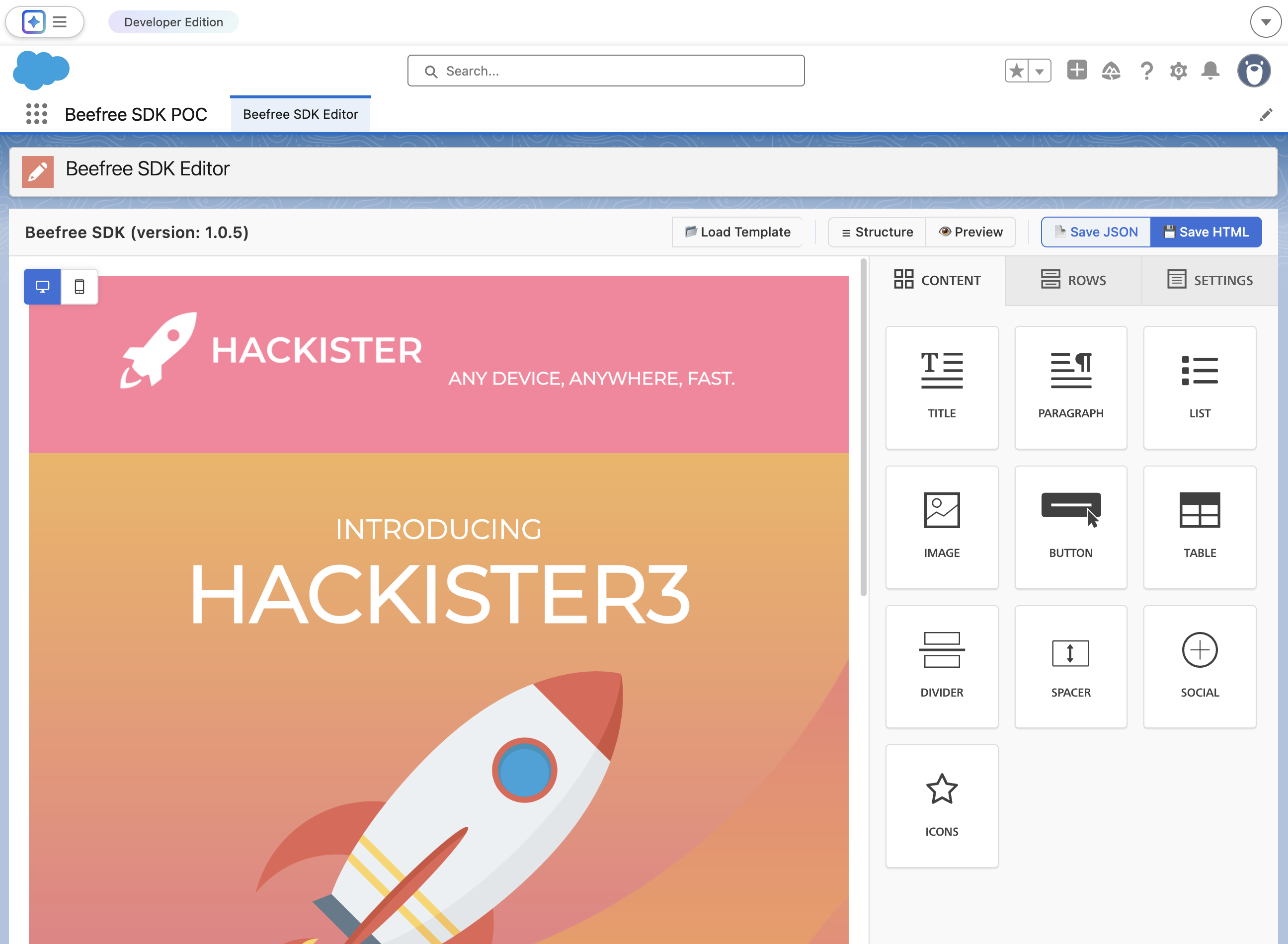
We’ve expanded the Beefree SDK to fully support Shadow DOM environments like Salesforce Lightning. The SDK’s container resolution system now works in both regular DOM and Shadow DOM contexts, meaning you can now easily run Beefree SDK inside an LWC-based application.
In particular, the BeeConfig.container now accepts both string | HTMLElement types:
Alternative approach:
Passing an HTML Element as a container (instead of a string) opens up the Beefree SDK to be used in Web Components, which use Shadow DOM.
A drag-and-drop editor for Salesforce Lightning apps, without the workarounds
If you’ve already embedded the Beefree SDK into your Salesforce App, you likely made that work by introducing a bridge layer (probably Visualforce or a hosted page) and proxy SDK calls and events through an additional iframe.
With our latest updates, you can say goodbye to these workarounds. You can now run Beefree directly inside Salesforce’s LWC environment, with a single iframe owned by Beefree. This avoids intermediary layers and gives you an integration that behaves much closer to how the SDK works outside Salesforce.
A beautiful, intuitive editor that runs inside Salesforce, without the maintenance burden? Upgrading your Salesforce app’s content creation and editing experience has never been easier!
Ready to add the Beefree SDK to your Salesforce app? We’re here to help!
Curious to see what an SDK implementation in a Salesforce Lightning Web Component (LWC) could look like? We’ve put together some sample code to help you get started:
- Beefree SDK Salesforce Lightning Web Components (LWC) example:
- Check out this sample code to understand how to integrate the Beefree SDK into Salesforce Lightning Web Components (LWC)
Working with other Shadow DOM technologies? This latest improvement isn’t just for folks building on top of Salesforce. You can now more easily integrate the Beefree SDK into any Shadow DOM environment, whether that’s LWC, regular WebComponents, or others. Check out this sample code to get started:
- Beefree SDK Web components example
- This example demonstrates how to integrate the Beefree SDK into a custom HTML element (<beefree-component>) using the Web Components standard and Shadow DOM for style isolation. No framework required — just vanilla TypeScript.
And as always: If you have any questions or need a helping hand in getting your integration to work, please just reach out! We’re here to help!

.png)

.png)

.png)