Email professionals who use AI at some point in their process finish an email in about five days, while those who don't take about seven, according to the Really Good Emails 2026 survey of 800+ email professionals. You'd expect time savings like that to push everyone toward full automation, but of respondents, only 44.8% of designers and 41% of developers use AI at all.
This is the clearest signal you'll get of how your users want AI in your product. Nonlinear workflows are how most people are building content with AI, moving between AI generation of the first draft, to manual edits, and then automated QA instead of handing off the entire job, start to finish.
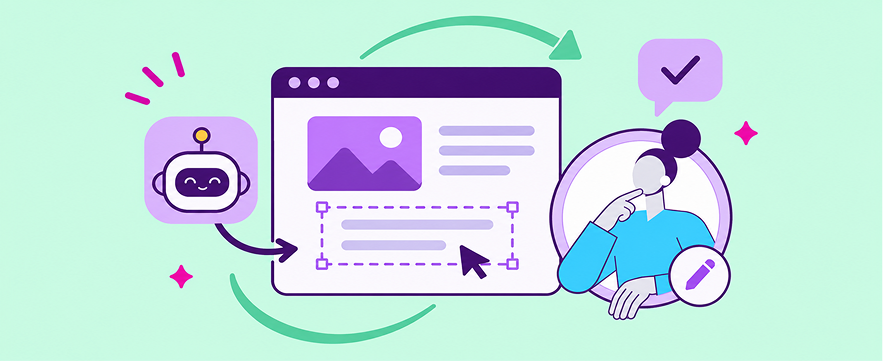
If your product includes an email builder, page builder, or notification builder, (or anything where humans can make edits, really) designing for this pattern is what makes human-in-the-loop AI work in practice. Human-in-the-loop AI is AI that keeps a person in control of what it produces, so users can review, edit or approve its output before anything ships.
How does this workflow look in practice?
A lifecycle marketer might ask AI for a first draft and then revise the hero section by hand, while a designer builds the layout themselves and uses AI to check accessibility before it ships. A CRM manager might have AI translate a campaign into six languages and then approve each version, since an incorrect word in a regulated market isn't a risk worth automating away.
None of these people are anti-AI, nor are they fully automating their creation process. Their use of AI moves along a spectrum as the task changes, which is the practical meaning of human-in-the-loop AI in a content builder. The human user stays the final approver, and the AI output stays editable, so switching between automated and manual work never means starting over.
How are email teams using AI today, and why don't they hand it everything?
AI adoption among email professionals is broad but uneven, and the RGE survey breaks it out by role and task in a way that you can map to the users of your own product.
Each of those points can help you make a product decision:
- Strategists adopt first, so prompt-to-design and copy help will see the fastest uptake among these users in your product.
- Designers hold back, and 37.5% of them say nothing has changed in their work yet, which means quality manual editing experiences deserve an equal weight in your product strategy.
- Developers point AI at code and QA, so AI-generated content that renders well and is accessible at first pass is as valuable to your users as AI that checks the finished product.
Users also want to check AI's work before it ships, the same way you ping a coworker in Slack to give something a look over. In the same survey from our friends at RGE, 33% said what they wanted most was confidence that AI output is accurate and safe to send, and 25% wanted AI inside the workflow they already use. Put together, they're not asking for less AI; they want AI that works like that coworker, sitting inside their workflow and handing back work they can trust but still check.
What does human-in-the-loop AI look like in a content builder?
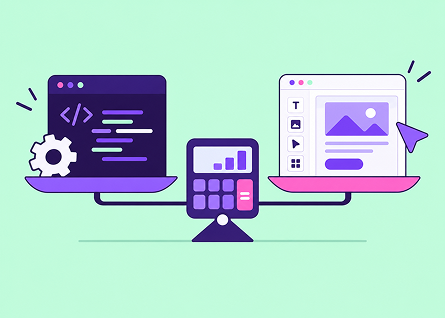
If your users move between manual and AI-led work, your builder needs to support every point on that spectrum, and for the sake of your team's bandwidth, you'll ideally do that without building each feature from scratch. Most products land on one of four levels along the way:
- Fully manual. Users build everything by hand, and you as a product builder can leave AI off entirely for customers who need it that way. In Beefree SDK: It’s the drag-and-drop email builder, page builder and notification builder experience itself.
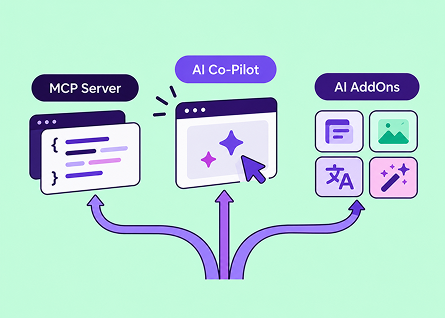
- AI-assisted. Users stay in charge of the design while AI handles single tasks, such as copy, image generation, alt text and translation, inside the editor they already know. In Beefree SDK: It’s the single-use AI AddOns.
- AI-collaborative. AI turns a prompt into a full design, and users then review and make manual edits and give the final approval. In Beefree SDK: The built-in agentic AI Co-Pilot, or your own in-editor prompt-to-design agent connected via our MCP Server.
- Fully automated. Agents generate, edit and check designs at scale, even without the editor open. In this case, hard rules limit what the agents can produce and users review the results. In Beefree SDK: Your own agents headlessly connected through the MCP Server, with Brand Rules as the guardrails.

Because all four experiences share the same builder base, a user can start in one way and move between them in a single session. By applying human-in-the-loop AI principles, an AI-built email is always a fully editable design for humans at all points of the journey.
If you're weighing which of these to turn on first, our AI pathways guide covers setup and fit for each.
How do you design AI features users will trust?
At Beefree, we use the principle of human-centered AI to guide our developments [for more info, read our AI Manifesto], which holds that AI should amplify what people can do rather than displace them. In a content builder, this comes down to four design decisions:
- Let users enter at any level. Some of your customers will want all the AI you can ship, others will bring their own proprietary LLM, and a few will want it switched off completely, so design for the whole range instead of a single default.
- All AI output is editable by humans. If an AI-built email can't be changed block by block, users either accept it as it is even if it's subpar or have to start over, and both wear trust down trust.
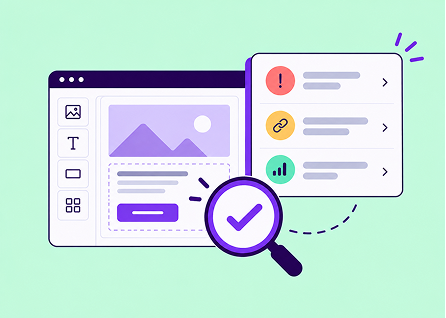
- Leverage AI for QA, not only creation. AI-driven QA is the biggest single accelerator according to the RGE data, and checking work is where cautious users are most comfortable letting AI help.
- Constrain with rules, not (only) prompts. A model can drift from instructions written into a prompt, whereas guardrails built into the builder itself, such as locked brand colors, approved fonts and required content blocks, set hard limits on what an agent can produce, making output consistently safe to send.
Meet users where they already start
Your own UI is only one of the places users create, since more users now begin a piece of content in an AI assistant like Claude, ChatGPT or Gemini and finish it in a specialized tool. That's why our CEO, Massimo Arrigoni, makes the case for optimizing both the surface you own and the one you don't in his Dual-Surface Framework. RGE Studio already works this way, using the MCP Server to connect its editor to AI agents so users can start wherever they are and still finish with full control.
Whether your users start in an AI assistant, inside your own UI or somewhere in between, they want to decide how much AI touches each step, and they want the final seal of approval. That's why we built Beefree SDK's AI capabilities around these nonlinear workflows, and it's the pattern we keep seeing across the 1,100+ applications that embed our builder. If your users are showing you something different, we'd like to hear about it, and if you're scoping AI for your own content builder, we can walk through what fits your product or help you out if you're feeling stuck.
Book a demo. We'll tailor it to your stack and use case.
Frequently asked questions
What is human-in-the-loop AI in content creation? Human-in-the-loop AI keeps a person in control of what AI produces, so users can review, edit or approve AI output before it's used. In a content builder, that means AI-generated emails and pages stay fully editable and nothing goes out without the user's sign-off. It's about enabling humans, not replacing them.
What are nonlinear workflows? Nonlinear workflows are how most people create content with AI, moving between manual edits, AI assistance and automated QA instead of handing the whole job to a model. The person decides how much of each step AI handles, and that mix changes from task to task.
How many email professionals use AI in their workflow? According to the Really Good Emails 2026 survey of 800+ email professionals, adoption varies sharply by role: 70% of strategists use AI, compared with 44.8% of designers and 41% of developers. Those who use it also finish an email in about five days, while non-users take about seven.
Should AI fully automate email creation in my product? For most products it shouldn't, because users want AI's speed but also want to check and adjust its output, so the strongest approach supports everything from fully manual work to fully automated generation in the same builder.
How do I keep AI-generated emails on brand? Use rules that constrain what the AI can produce rather than relying on prompt instructions, which a model can drift from. In Beefree SDK, Brand Rules set those limits, so both the AI Co-Pilot and agents connected through the MCP Server work within boundaries you define.
Can I add AI to my content builder without building it myself? Yes, because Beefree SDK offers AI AddOns for single tasks, a built-in agentic AI Co-Pilot for prompt-to-design, and an MCP Server for connecting your own agents, all inside one embeddable builder.